




The world of UX/UI design, wireframing plays a crucial role in shaping the user experience. But when you’re working on a detailed project, you may encounter different types of wireframes, such as low-fidelity and high-fidelity. This blog will focus on what is a high-fidelity wireframe, its key features, and when it’s appropriate to use it.
High-fidelity wireframes are an advanced step in the design process, offering a polished and interactive representation of the final product. By understanding this concept, you can refine your designs and create better user experiences.
A high-fidelity wireframe is a detailed and interactive visual blueprint that represents the final layout of a website or application. Unlike low-fidelity wireframes, which focus on structure and basic content placement, high-fidelity wireframes provide intricate details such as color schemes, typography, images, and precise spacing.
Key elements of a high-fidelity wireframe include:
High-fidelity wireframes are typically used to ensure that stakeholders and developers can clearly visualize the user interface and experience.
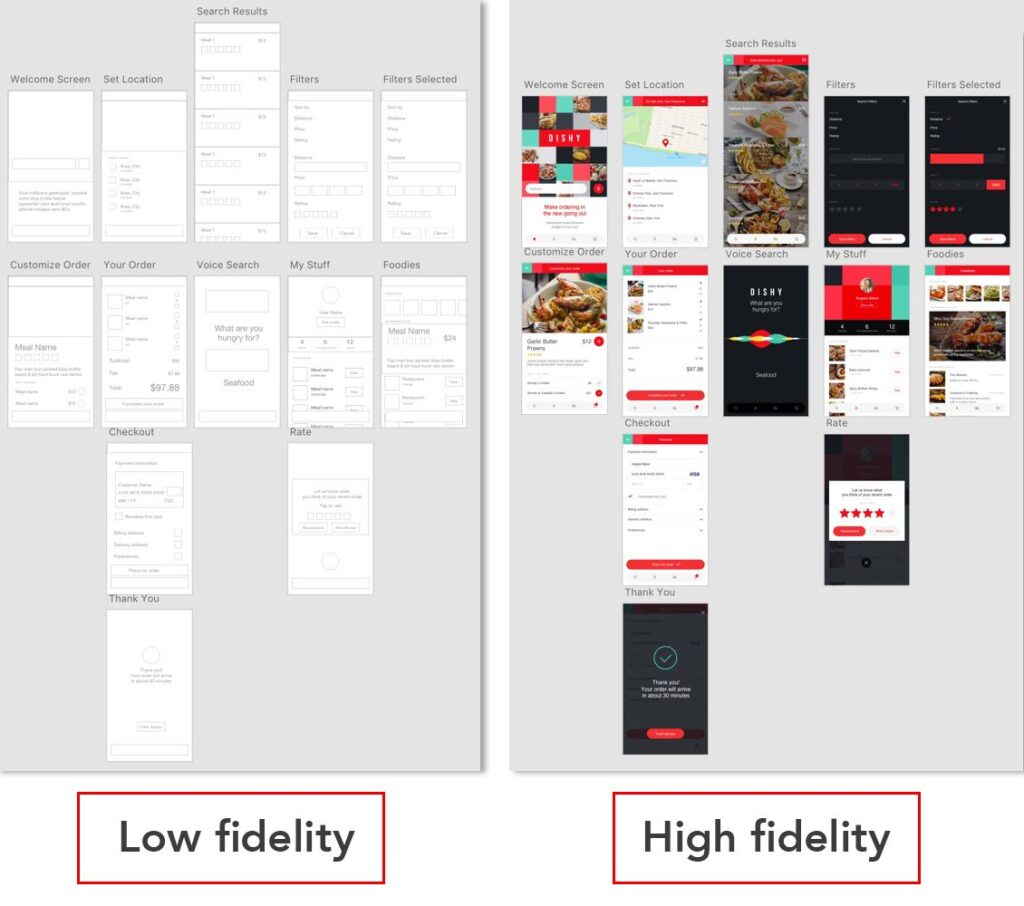
Knowing when to implement a high-fidelity wireframe in your design process is key to creating an efficient workflow. Here are several situations when high-fidelity wireframes are essential:
Once you have completed initial sketches and low-fidelity wireframes, you will want to move to a more polished design. High-fidelity wireframes help refine these early concepts and provide a clearer vision of the final product.
When presenting designs to clients or stakeholders, it’s vital to showcase a clear and professional mockup. High-fidelity wireframes are much easier for clients to understand and approve because they resemble the final product. The realistic representation helps them make informed decisions regarding color schemes, layouts, and overall usability.
Before launching a product, it’s crucial to conduct usability testing to identify potential issues with user interaction. High-fidelity wireframes allow for more effective testing of features like button functionality, navigation flow, and overall user experience. By using an interactive high-fidelity wireframe, you can simulate real-life interactions and gather meaningful feedback from users.
High-fidelity wireframes are highly beneficial when passing designs off to the development team. With precise measurements, colors, fonts, and interactive elements, developers can begin building the product with a clear understanding of the design specifications. This reduces the chances of miscommunication and speeds up the development process.
If your project involves complex user journeys, high-fidelity wireframes can help map out the entire experience with more accuracy. For instance, e-commerce sites, banking applications, or social media platforms often have intricate workflows that need to be carefully considered. A high-fidelity wireframe ensures that all user paths are visually mapped and easy to follow.
Creating a high-fidelity wireframe involves several important steps. Here’s how you can get started:
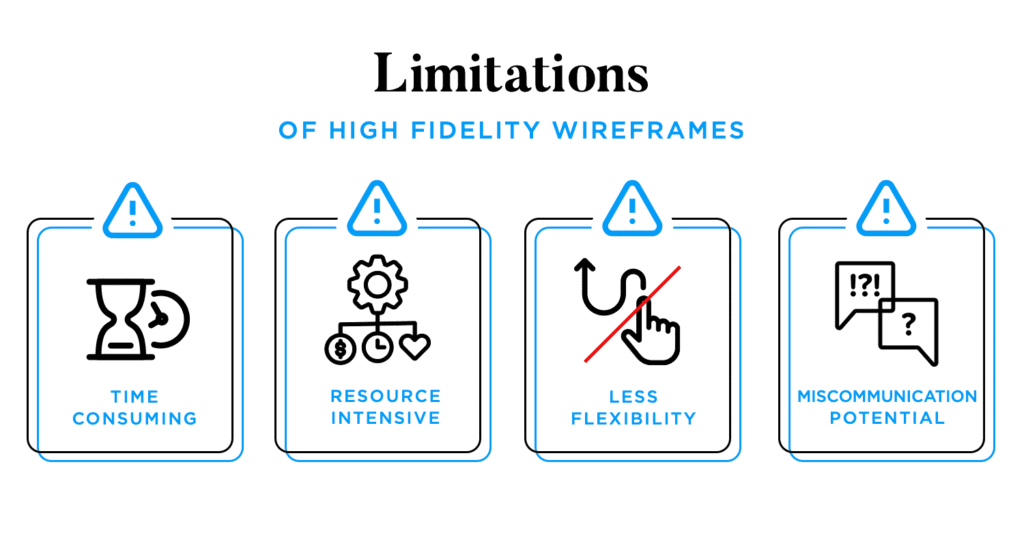
While both types of wireframes serve essential roles in the design process, they differ significantly in their level of detail and purpose. Here’s a quick comparison:
| Feature | High-Fidelity Wireframe | Low-Fidelity Wireframe |
| Level of Detail | Detailed, includes design elements | Basic, focuses on structure |
| Purpose | To represent final UI design | To explore layout and flow |
| Interactivity | Often includes clickable elements | No interactive features |
| Usage | Client presentations, usability testing | Early-stage design exploration |
| Tools | Figma, Sketch, Adobe XD | Pen & Paper, Balsamiq |
As shown, high-fidelity wireframes are much more refined and realistic than low-fidelity wireframes, making them ideal for later stages of design and client presentations.
Understanding what a high-fidelity wireframe is and knowing when to use it is essential for creating successful designs. High-fidelity wireframes are crucial in refining your project, communicating design ideas clearly to stakeholders, and ensuring your product meets user needs. By incorporating precise details and interactivity, you ensure a seamless handoff from design to development.
If you’re ready to refine your design process and improve user experience, consider integrating high-fidelity wireframes into your workflow.
Call to Action: Want to explore more design strategies? Check out our detailed guides and services at The Brands Bureau to enhance your design projects!
1. What’s the difference between a high-fidelity wireframe and a prototype?
A high-fidelity wireframe focuses on visual design and layout, while a prototype includes interactivity and user flows to simulate real-world usage.
2. When should I switch from low-fidelity to high-fidelity wireframes?
Switch to high-fidelity wireframes once the layout and structure are solidified, and you are ready to present the design to clients or test functionality.
3. Can I use high-fidelity wireframes for user testing?
Yes, high-fidelity wireframes are excellent for usability testing because they simulate the final user experience with more accuracy.
4. How much time should I spend on creating high-fidelity wireframes?
The amount of time depends on the complexity of your design, but it generally takes longer than low-fidelity wireframes due to the added details and functionality.
The Brands Bureau is a leading marketing agency specializing in UX/UI design, digital strategy, and branding solutions. With a team of experienced professionals, The Brands Bureau helps businesses craft seamless digital experiences that enhance user satisfaction and drive growth. Their expertise in wireframing, prototyping, and user experience design has empowered numerous brands to create intuitive and impactful digital products.




Leave A Reply Now